 | Language :
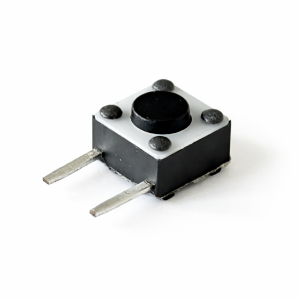
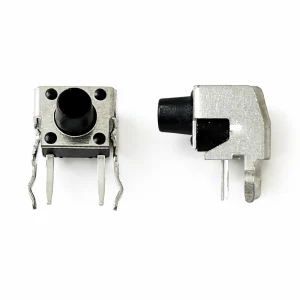
Tact switch through hole
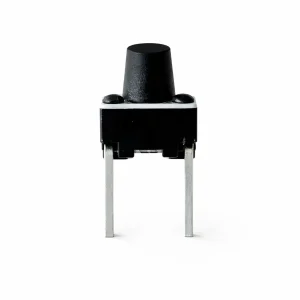
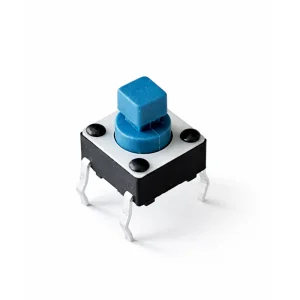
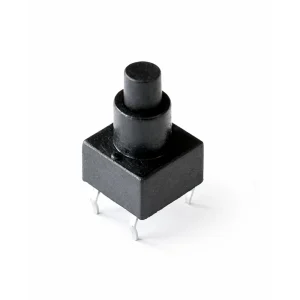
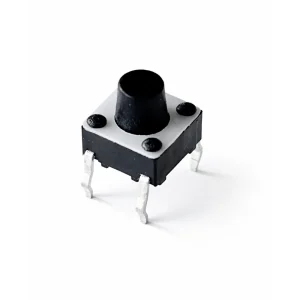
The 6x6mm Tactile Switch is the "bread and butter" of the electronics world. If you’ve ever felt a crisp, satisfying "click" when pressing a button on a microwave, a computer monitor, or a DIY Arduino project, you’ve likely interacted with one of these.
Designed for Through-Hole Technology (THT), these switches feature sturdy metal pins designed to pass through a Printed Circuit Board (PCB) and be soldered on the opposite side, providing excellent mechanical stability.
| Feature | Details |
|---|---|
| Dimensions | 6.0mm x 6.0mm (Base) |
| Mounting Type | Through-Hole (DIP / 4-Pin) |
| Actuation Force | Typically 160gf to 250gf (Standard "clicky" feel) |
| Travel Distance | ~0.25mm |
| Contact Rating | 50mA @ 12V DC |
| Life Expectancy | 100,000 to 1,000,000 cycles (depending on grade) |
| Operating Temp | -25°C to +70°C |
Why It’s a Designer Favorite
- Tactile Feedback: Unlike soft-membrane buttons, these provide a distinct physical snap and an audible click, letting the user know the input was registered.
- Breadboard Friendly: The standard 4-pin pitch fits perfectly into 0.1" (2.54mm) breadboards and prototyping perf-boards, making them the go-to choice for hobbyists.
- Durability: The sealed construction of the contact dome protects it from dust and flux during the soldering process.
- Customizable Height: These switches come in various plunger heights (from 4.3mm up to 15mm+), allowing them to reach through different enclosure thicknesses.
Internal Circuitry
The switch uses a SPST (Single Pole, Single Throw) configuration. Internally, the four pins are arranged in two pairs.
- Pins 1 & 2 are permanently connected to each other.
- Pins 3 & 4 are permanently connected to each other.
- When the button is pressed, it bridges the gap, connecting all four pins together.
Pro Tip: When PCB routing, use the internal connection of the pins as a "jumper" to simplify your traces!
Common Applications
- Consumer Electronics: Reset buttons, power switches, and menu navigation.
- Industrial: Interface panels and PLC controllers.
- Prototyping: Ideal for Arduino, Raspberry Pi, and ESP32 development kits.
- Computer Peripherals: Keyboards (specialized versions) and mouse buttons.